




Table of Contents
What Is the EE Phone Users Text Warning?
The EE phone users text warning refers to scam text messages that pretend to come from EE. These messages may claim there is a problem with your bill, account, payment method, rewards points, delivery, or security settings. The aim is usually to make you click a fake link, enter login details, share bank information, or download malicious software.
If you receive a suspicious EE text, do not click the link, do not reply, and do not share any personal or banking details. EE, GOV.UK, Ofcom and the National Cyber Security Centre advise users to forward suspicious text messages to 7726 for free so the mobile provider can investigate.
Key Takeaways
- Fake EE texts are usually smishing scams, which means phishing carried out by SMS or mobile messaging.
- Common scam themes include unpaid bills, fake refunds, account suspension, security alerts and rewards points.
- EE advises users not to click links unless they are completely sure they are genuine.
- Suspicious texts should be forwarded to 7726, the free UK spam and scam text reporting number.
- If money has been stolen or you have shared bank details, contact your bank immediately and report the fraud through the official Report Fraud service or Police Scotland if you are in Scotland.
What Is the EE Phone Users Text Warning About?
The EE phone users text warning is about fraudulent messages that impersonate EE or another trusted organisation. These texts often look urgent and official. They may say that your account will be suspended, your latest bill has failed, your payment details need updating, or your reward points are about to expire.
The message usually includes a link to a fake website. That website may copy EE’s branding and ask for your My EE login, password, security code, bank details, card number, or personal information.
EE’s own security guidance warns customers not to click links unless they are completely sure they are genuine and not to give away personal details or access to their phone or computer. EE also tells customers to forward suspicious text messages to 7726 and delete them after reporting.
Why Are EE Customers Receiving Scam Texts?
Scammers target mobile users because text messages feel immediate and personal. Many people are used to receiving legitimate texts from mobile providers about bills, upgrades, one-time passcodes, account changes and service updates. Fraudsters exploit that familiarity.
EE users may receive scam texts for several reasons:
Brand impersonation works
Scammers use well-known names such as EE because recipients are more likely to recognise the brand and react quickly.
Texts create urgency
A message about an unpaid bill, locked account or limited-time reward can pressure users into acting without checking.
Phone numbers can be gathered in many ways
Criminals may obtain numbers from data leaks, online forms, social media exposure, fake competitions, previous scams or automated number generation.
Spoofing can make messages look convincing
Some scam messages may appear to come from a familiar sender name or use links that look similar to a real website.
Scam tactics are evolving
Recent UK reports have highlighted fake mobile provider rewards messages, including scams impersonating EE and Vodafone, where users were pushed toward fake reward websites and asked to pay postage or enter payment details.
What Are the Most Common Fake EE Text Messages?
Fake EE messages can take several forms. The wording changes frequently, but the goal is usually the same: to make you click, panic, pay, or share sensitive information.
1. Unpaid Bill Scam
This message may claim your latest EE bill has not been paid and that your account will be restricted unless you update your payment details.
Warning signs:
- Threats of immediate suspension
- A link to “verify” or “update” payment
- A sender number you do not recognise
- A website that does not clearly match EE’s official domain
2. Fake Refund Scam
This text may say EE owes you a refund due to an overpayment, billing error or account review. It then asks you to enter bank details or card information.
Warning signs:
- Unexpected refund offer
- Request for card or bank details
- Link to a form asking for personal information
- Poor grammar or unusual wording
3. Account Security Scam
This message may claim that suspicious activity has been detected on your EE account. It may ask you to “secure your account” through a link.
Warning signs:
- Pressure to act within minutes
- Request for password, PIN or one-time passcode
- Fake login page that looks like EE
- Message asking you not to ignore the alert
4. Fake Rewards Points Scam
Some scam texts claim that EE reward points are about to expire. They may offer expensive products or vouchers in exchange for a small payment. The small payment is often used to capture card details.
This type of scam is especially dangerous because it can feel low-risk at first. A request for a small postage fee may appear harmless, but entering card details on a fake site can expose your account to fraud.
5. Delivery or Parcel Scam Using EE Branding
Some messages combine mobile provider impersonation with delivery fraud. For example, the text may say a device, SIM card, upgrade, prize or replacement order is waiting for delivery and that you must pay a small fee or confirm your address.
Warning signs:
- You are not expecting an EE delivery
- The link leads to a courier-style website
- The message asks for a small redelivery fee
- The sender cannot provide genuine order details
How Can You Identify a Fake EE Text?
Scam texts can be convincing, but most contain red flags. Use this checklist before taking any action.
The Message Arrives Unexpectedly
Be careful if the message appears without any recent action from you. If you have not changed your plan, missed a payment, requested a refund, ordered a SIM, upgraded your device or contacted EE, treat the message cautiously.
It Creates Panic or Urgency
Scammers often use pressure to stop you thinking clearly. Phrases such as “final warning,” “account suspended,” “payment failed,” “act now,” or “limited time only” are common in scam messages.
It Asks for Personal or Financial Details
Genuine companies should not ask you to enter sensitive information through a random text link. GOV.UK advises people not to give out private information, reply to suspicious texts, download attachments or click links if they are not sure the message is genuine.
The Link Looks Suspicious
A fake link may use:
- Misspellings
- Extra hyphens
- Strange endings
- Shortened URLs
- Domains that imitate EE
- Website names that look official at first glance but are not
Do not rely only on how the link looks in the message preview. Some links are designed to appear genuine while redirecting to a different website.
It Asks for a One-Time Passcode
Never share one-time passcodes, security codes, PINs or full passwords through a text message conversation. If someone asks you to send back a code, that is a major scam warning sign.
It Comes From a Normal Mobile Number
Some genuine businesses use short codes or named senders, but scammers can spoof sender names and numbers. A normal mobile number claiming to be EE support should be treated with caution, especially if it includes a payment link.
What Should You Do If You Receive a Suspicious EE Text?
If you receive a suspicious EE text, take these steps:
Do not click the link
Avoid opening any link in the message, even if it looks close to EE’s real website.
Do not reply
Replying may confirm that your number is active.
Do not enter personal details
Never provide your password, PIN, bank details, card number, security code or one-time passcode through a text link.
Check your EE account safely
Open the My EE app directly or type EE’s official website into your browser yourself. Do not use the link from the message.
Forward the message to 7726
EE, Ofcom, NCSC, Citizens Advice and GOV.UK all point users towards 7726 for reporting suspicious texts.
Block the sender
After reporting the message, block the number or sender through your phone settings.
Delete the message
EE advises users to delete suspicious messages after reporting them.
How Do You Report a Scam EE Text to 7726?
To report a suspicious EE text, forward the message to 7726. The number is free to use and spells “SPAM” on a phone keypad, which is why it is easy to remember. Ofcom says 7726 allows mobile providers to investigate scam or spam texts and potentially block the sender if it is found to be a nuisance.
How to Report on iPhone?
The NCSC gives the following approach for iPhone and iPad users:
- Take a note of the number that sent the message.
- Press and hold the message bubble.
- Tap “More”.
- Select the message.
- Tap the forward arrow.
- Enter 7726 and send.
How to Report on Android?
The NCSC gives the following approach for Android users:
- Take a note of the number that sent the message.
- Open the conversation.
- Press and hold the message bubble.
- Tap the three-dot menu.
- Tap “Forward”.
- Enter 7726 and send.
What If You Clicked a Fake EE Link?
If you clicked a suspicious EE link, do not panic, but act quickly.
If You Only Clicked the Link
If you opened the link but did not enter any details:
- Close the page immediately.
- Do not download anything.
- Clear your browser history and website data.
- Run a security scan if you have mobile security software.
- Update your phone software.
- Watch for follow-up scam messages.
EE advises users who have opened scam links to keep devices updated, use antivirus protection where appropriate and seek help from an EE store or phone shop if needed.
If You Entered Your EE Login Details
Change your EE password immediately by going directly to the My EE app or EE website. Also change any other accounts that use the same password.
You should also:
- Check your EE account for unusual changes.
- Review recent orders, upgrades or payment changes.
- Contact EE support directly if anything looks wrong.
- Enable stronger account security where available.
If You Entered Bank or Card Details
Contact your bank immediately using the number on the back of your bank card or through your banking app. Do not call any number from the suspicious text.
Ask your bank to:
- Freeze or monitor the card.
- Check for unauthorised transactions.
- Cancel compromised card details if needed.
- Advise on chargeback or fraud protection options.
EE’s guidance says that if you think you have provided bank account details, you should contact your bank immediately.
If You Lost Money
If you are in England, Wales or Northern Ireland, report the fraud through Report Fraud or by calling 0300 123 2040. If you are in Scotland, report the matter to Police Scotland by calling 101.
Can Fake EE Texts Steal Your Personal Data?
Yes. Fake EE texts can steal personal data if you click a link and enter information on a fraudulent website. The NCSC explains that scam text messages often try to get users to click a link that may steal passwords or other personal information, or download viruses.
A fake EE message may try to collect:
- My EE username and password
- Email login details
- Full name and date of birth
- Home address
- Mobile number
- Card number and expiry date
- CVV security code
- Online banking details
- One-time passcodes
- Security answers
Once scammers have these details, they may attempt account takeover, payment fraud, identity fraud, SIM-related fraud, or further phishing attempts.
Does EE Send Genuine Texts?
Yes, EE may send legitimate texts about account services, billing, usage, upgrades, support or security. That is why fake EE messages can be difficult to spot.
The safest approach is not to assume every EE-branded message is fake, but also not to trust every message automatically. If the message asks you to click a link, provide personal details, pay urgently, or verify sensitive information, check it independently.
Use the My EE app or EE’s official website by opening them yourself. Do not use the link in the text.
What Are EE’s Official Measures Against Scam Texts?

EE provides customer guidance on avoiding scams and spam. EE tells users to:
- Avoid clicking suspicious links.
- Not give away personal details.
- Report suspicious texts to 7726.
- Forward phishing emails referring to EE to EE’s phishing email address.
- Delete messages after reporting them.
- Keep devices updated if a scam link has been opened.
EE also says that forwarding spam messages to 7726 helps the company take early action to remove numbers generating spam from its network.
How Can You Protect Yourself From EE Text Scams?
Use these safety habits to reduce the risk of falling for fake EE messages.
Use the My EE App Directly
If a message says there is a problem with your account, open the My EE app directly. This is safer than clicking a link from a text.
Pause Before Acting
Scammers want you to react quickly. Take a moment before clicking, paying or replying. Take Five to Stop Fraud promotes the simple approach of stopping, challenging and protecting yourself when faced with requests for money or information.
Keep Your Phone Updated
Install operating system and app updates. Security updates help protect your device from known vulnerabilities.
Use Strong, Unique Passwords
Do not reuse your EE password across banking, email, shopping or social media accounts. If one account is compromised, reused passwords can put other accounts at risk.
Be Careful With Personal Information Online
The NCSC warns that criminals can use personal information available online, including social media details, to make phishing messages more convincing. Review privacy settings and avoid oversharing information that could be used to impersonate a company or target you.
Warn Vulnerable Friends and Family
Scam texts often target people who may be less confident with mobile security. Share the 7726 reporting number with older relatives, teenagers, new phone users and anyone who may be more likely to trust a convincing message.
How Can You Block Scam Numbers on EE?
You can reduce repeat scam messages by combining provider reporting with phone-level blocking.
1. Forward the Text to 7726
This helps EE and other providers investigate the source and potentially block or ban malicious senders.
2. Block the Number on Your Phone
On most phones, open the message, select the sender or menu option, and choose block or report spam.
3. Use Built-In Spam Filtering
Many Android and iPhone devices offer spam filtering, unknown sender filtering or message screening. These tools may reduce the number of scam texts you see.
4. Avoid Replying “STOP” to Suspicious Messages
Only reply “STOP” to legitimate marketing messages from companies you recognise. Replying to a scam text may confirm your number is active.
5. Report Repeat Scam Activity
If you keep receiving suspicious messages, continue forwarding them to 7726. Repeated reports help providers identify patterns.
EE Scam Text Red Flag Checklist
Before clicking any EE-related text, ask these questions:
- Was I expecting this message?
- Is the message trying to scare me?
- Does it ask for payment details?
- Does it ask for my password, PIN or one-time passcode?
- Does the link look unusual?
- Is the sender a random mobile number?
- Does the message contain spelling or grammar mistakes?
- Does the offer sound too good to be true?
- Can I verify this through the My EE app instead?
If the answer to any of these questions causes doubt, do not click the link. Report the message to 7726 and check your account directly.
What Should You Do If a Family Member Receives a Fake EE Text?
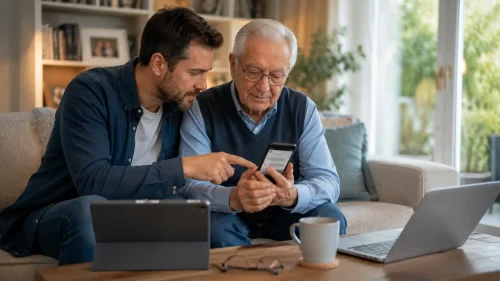
If a family member receives a suspicious EE message:
- Tell them not to click the link.
- Help them forward the message to 7726.
- Check whether they entered any personal or banking details.
- If they shared bank details, help them contact their bank immediately.
- If they lost money, help them report it through Report Fraud or Police Scotland.
- Encourage them to use the My EE app or official website directly in future.
This is especially important for older adults, young people, and anyone who may feel pressured by urgent or official-looking messages.
Conclusion
The EE phone users text warning is a reminder that scam texts can look very convincing. Fraudsters may impersonate EE to claim that your bill has failed, your account is at risk, your reward points are expiring, or your payment details need updating.
The safest response is simple: do not click, do not reply, and do not share personal or banking details. Open the My EE app or EE website yourself if you need to check your account. Forward suspicious texts to 7726 for free, then block and delete the message.
If you have already shared information or lost money, act quickly. Change passwords, contact your bank, speak to EE through official channels and report the fraud to the appropriate UK authority.
Sources
- EE – How to avoid and prevent scams
- EE – How to avoid and prevent spam
- Ofcom – How to report scam texts and mobile calls to 7726
- Ofcom – How to protect yourself from scam phone calls and texts
- National Cyber Security Centre – Report a scam text message
- National Cyber Security Centre – Phishing: spot and report scam emails, texts, websites and adverts
- GOV.UK – Avoid and report internet scams and phishing
- Citizens Advice – Report a scam
- Take Five to Stop Fraud – Fraud prevention advice
- Report Fraud – Report fraud and cyber crime
FAQs About EE Phone Users Text Warning
What is the EE phone users text warning?
It is a warning about scam text messages pretending to be from EE. These messages may ask users to click fake links, update payment details, claim rewards or verify account information.
Is a text from EE always genuine?
No. Some texts may be genuine, but scammers can impersonate EE. If a message contains a link or asks for sensitive information, check your account through the My EE app or EE’s official website instead of using the link.
What number do I forward EE scam texts to?
Forward suspicious EE texts to 7726. This is the free UK reporting number used by most mobile providers to investigate scam and spam texts.
What should I do if I clicked a fake EE text link?
Close the page, do not enter any details, update your phone, run a security scan if available, and monitor your accounts. If you entered passwords or payment details, change passwords and contact your bank immediately.
Can a fake EE text steal money from my bank?
Yes, if you enter card or banking details on a fake website, scammers may use that information for fraud. Contact your bank immediately if you shared payment details.
Does EE ask for bank details by text?
Treat any text asking for bank details, passwords, PINs or one-time passcodes as suspicious. Check directly through the My EE app or EE’s official website.
Can scammers spoof EE’s sender name?
Yes, scammers may use spoofing or misleading sender details to make a text look more convincing. Do not trust a message only because the sender name appears familiar.
Should I reply STOP to a suspicious EE text?
No. Do not reply to suspicious texts. Replying can confirm that your number is active. Forward the message to 7726, then block and delete it.
Where can I report fraud if I lost money?
If you are in England, Wales or Northern Ireland, report it through Report Fraud or call 0300 123 2040. If you are in Scotland, report it to Police Scotland on 101.
How can I check whether an EE text is real?
Open the My EE app directly or type EE’s official website into your browser. Do not use links from suspicious messages. You can also contact EE customer support through official channels.